Be Closer: GPS Family Location
Golden Gate MediaParenting
4.41.84K Reviews
- Version
- 4.8.7
- Installs
- 10.00M
- Age Rating
- Everyone
Screenshots
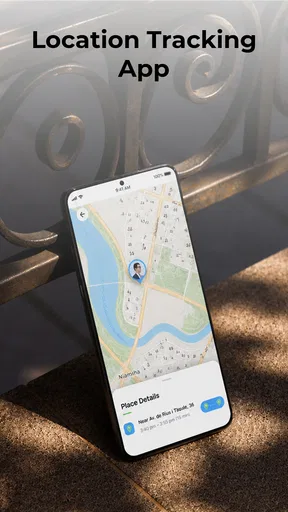
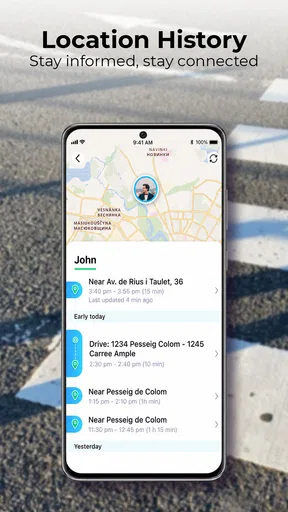
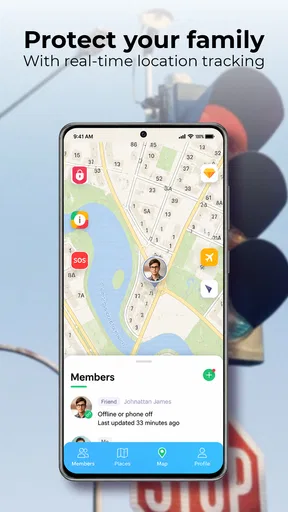
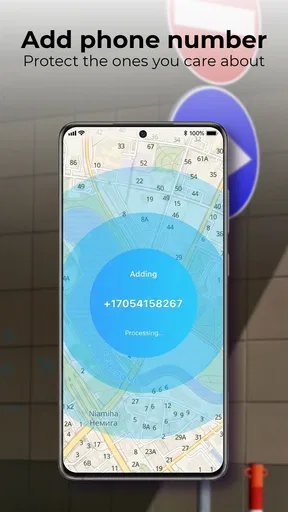
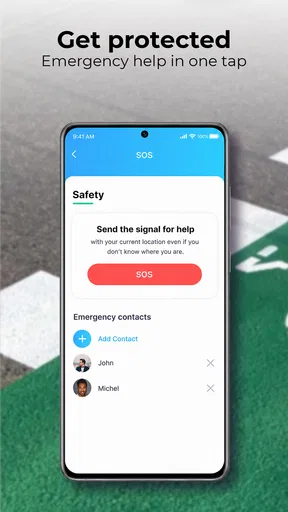
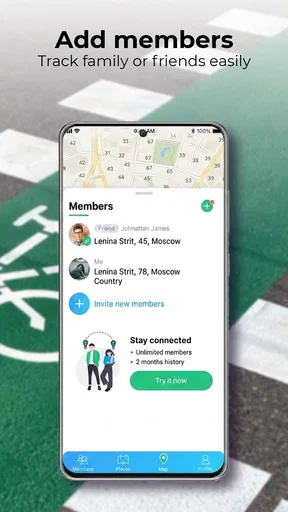
Our Review of Be Closer: GPS Family Location
 Analysis by Appyee
When my day depends on several people getting to different places, I find it useful to have one shared view of where everyone is. Be Closer: Family location is a family location app built around that idea: members can share their whereabouts on a map, so a quick look may answer questions that would otherwise lead to another call or text. For me, its value is less about watching a map all day and more about having a practical way to coordinate when plans are moving.
Location sharing as the central tool
The app’s main capability is GPS-based family location sharing. Once relatives are connected, the map gives the group a common reference point. That can make ordinary coordination easier: I can check whether someone is still on the way, or get a clearer sense of when to expect them, instead of asking for repeated updates. The app is from Golden Gate Media, and its focus is straightforward: make family location sharing the center of the experience rather than burying it among unrelated tools.
I would treat that map as a helpful snapshot, not a promise that every movement will appear instantly or with perfect precision. Location tools depend on phones and their settings, and a displayed position can be less useful if a device has poor connectivity, is turned off, or is not sharing. That distinction matters: the app can reduce uncertainty, but it cannot replace a direct check-in when timing or safety is genuinely important.
How I would use it day to day
The easiest way to get value from a family tracker is to agree on why everyone is using it before sending invitations. I would explain what the group expects to share, who will be included, and when checking the map is appropriate. That conversation makes the app feel like a shared convenience rather than one person quietly monitoring everyone else. It also helps family members decide whether they are comfortable joining.
For a practical routine, I would check the map when a pickup is running late or when someone is travelling between familiar places, then message or call if the situation needs clarification. I would avoid repeatedly refreshing it just to watch another person’s movements. That habit is unlikely to make anyone safer, and it can turn a useful coordination tool into a source of unnecessary worry.
A realistic family scenario
Imagine a parent finishing work while a teenager is heading home from an activity and another family member is collecting groceries. Instead of sending separate “Where are you?” messages, each person can use the shared map to see whether plans are broadly on track. If the teenager’s location seems unchanged longer than expected, the parent can follow up directly rather than assuming the map tells the whole story. In this kind of situation, the app is most useful as a prompt for communication, not a substitute for it.
That approach also works for families coordinating a busy day across home, school, and errands. It can save a little back-and-forth when everyone has agreed to share location, especially when a quick visual check is enough. If a plan changes, though, a message still matters: a location pin cannot explain whether someone took a detour, stopped to help a friend, or simply has not updated their phone.
Where it fits among the alternatives
Compared with relying only on texts and calls, a shared location map can answer the narrow question of where someone is without requiring them to type a reply while busy. Compared with a general-purpose map app, a family-focused tracker is organized around a group of relatives rather than a one-off trip or directions request. That difference may be useful for recurring coordination, but it does not make the app a replacement for navigation, emergency services, or ordinary conversation.
I would choose a simpler messaging routine if my family only needs occasional check-ins, or a navigation app if the main problem is finding a route. A tracker makes more sense when several people actively want an ongoing shared view and are comfortable with the privacy implications. The best alternative depends on the actual need; installing a location app simply because it is available can create more tension than convenience.
Who is likely to benefit
Families with changing schedules may get the most from this kind of setup: parents coordinating pickups, adults checking arrival progress, or relatives who regularly travel between familiar places. It can also help when a family member has trouble remembering to send an update, provided that person agrees to share their location and understands how the group will use it. The benefit is practical rather than dramatic: fewer repetitive status questions and a little more context when plans are in motion.
It is a weaker fit for people who prefer not to share their whereabouts, households where location sharing could create pressure or conflict, and anyone expecting a tracker to guarantee safety. I would not make a child’s or another relative’s privacy secondary to convenience. A calm, explicit agreement about sharing is part of making this kind of app useful, not an optional extra.
The app is free to download and is rated for Everyone. It has an average rating of 4.5 from around 134,000 ratings, with more than 10 million installs. Those figures suggest it has reached a broad audience, but they do not tell me whether its approach to family sharing will suit a particular household. I would decide based on consent, routines, and whether a shared map solves a real recurring problem.
What to consider before relying on it
Location sharing is only as dependable as the participating phones and the people using them. Before treating the map as part of a pickup routine, I would try it during ordinary travel and agree on a backup plan, such as calling if someone is delayed. It is also sensible to check that each family member understands when sharing is on and how to pause it. Those small habits make the tool more predictable without asking anyone to trust a dot on a map blindly.
Another useful boundary is to keep the group purposeful. Inviting only the relatives who need to coordinate makes the map easier to interpret and limits how widely personal location is shared. If a family’s needs change, revisit who is in the group rather than assuming access should continue forever. This is a simple but important trade-off: broader visibility may feel convenient, while a smaller circle can be easier to manage and more comfortable for everyone.
As a parenting app, it is aimed at families, but that label does not mean every parent-child relationship will benefit from constant visibility. I would introduce it as a mutual coordination tool, explain the reason for using it, and make room for questions or disagreement. For younger children, a parent may make the decision, while older children and teenagers deserve a more direct conversation about boundaries. The app works best when trust remains the foundation.
Cost, upkeep, and expectations
Although there is no upfront price to download it, Be Closer offers in-app purchases ranging from $1.99 to $64.99 per item. I would start by checking what the free experience covers and whether the features my family actually needs are available before considering a purchase. The range makes it especially sensible to avoid buying anything on the assumption that every option is necessary; first establish a routine and see whether the core location-sharing use is valuable.
The current version is 4.7.8, and the app requires Android 9 or later. That makes compatibility worth checking before inviting a family group, since one person’s older phone could prevent a shared routine from working smoothly. If a relative cannot participate, agree on a simple alternative—such as a text when they arrive—instead of letting the whole plan depend on every device behaving identically.
Be Closer has 1.8 thousand written reviews alongside its large audience, but I would still judge it against my own family’s needs rather than treating popularity as a guarantee. Location sharing is personal by nature, so comfort and clear expectations matter as much as an uncluttered interface. The most useful question is not whether every family should use a tracker, but whether this particular group has a recurring coordination problem that a shared map can solve.
Setting Up and First Impressions
Diving right into Be Closer, the setup was a breeze. After a quick download, I was prompted to create an account. The app walked me through setting up my profile and inviting family members. This part was straightforward, and I appreciated the simplicity—it’s always a relief when apps don’t overcomplicate things.
The interface itself is clean and intuitive. Everything is laid out neatly, making navigation a cinch. It’s not cluttered with unnecessary features, which I found refreshing. You get exactly what you need without a ton of distractions.
Features That Stand Out
One of the standout features is the real-time location tracking. Once everyone in the family is connected, you can see where they are on a map. It’s accurate and updates pretty swiftly. I tested it by heading out for a coffee run, and my location was spot-on. This is especially great for peace of mind when your kids are out and about.
Another cool feature is the ability to set up geofences. You can create safe zones around locations like home, school, or work. The app sends notifications when family members enter or leave these areas. I found this particularly useful for knowing when my partner left work, so I could time dinner just right!
Staying Connected
The app also incorporates a messaging feature, which is a nice touch. You can send quick messages or check in with your family members directly through the app. It reminded me a bit of a mini family chat room, which keeps everyone in the loop without switching between different apps.
The driving reports feature is quite insightful too. If you or your family members are driving, it provides details on driving habits, including speed and sudden braking. It's a great way to encourage safer driving among the younger drivers in the family.
Privacy and Security
Now, I know what you might be thinking—what about privacy? The app does a good job addressing this. You have control over who sees your location and when. It’s easy to toggle your visibility on and off, giving you the flexibility to decide when to share your whereabouts.
All data is encrypted, which is reassuring. The developers seem to take privacy seriously, and that’s something I definitely appreciate in an app that deals with such personal information.
Final Thoughts
Wrapping up my experience with Be Closer, I have to say it’s a pretty nifty tool for anyone looking to keep their family connected and informed. The real-time tracking and geofencing features are practical and reliable, while the messaging and driving reports add that extra layer of functionality.
Sure, it’s not a replacement for regular communication and check-ins, but it’s a fantastic supplement that adds convenience and peace of mind. If you're like me and want an easy way to keep tabs on your family’s whereabouts without constantly texting or calling, this app is definitely worth a shot.
So, if you're interested in trying it out, give it a whirl! Whether you have a big family or just a few loved ones to keep track of, Be Closer might just be the app you didn’t know you needed.
Verdict
Strengths of Be Closer: GPS Family Location
- Easy-to-use interface for all ages.
- Real-time location updates are reliable.
- Customizable safe zones for alerts.
- Battery-saving technology is effective.
- Supports multiple family members.
Limitations of Be Closer: GPS Family Location
- Requires constant internet connection.
- Privacy concerns with location sharing.
- Limited features in free version.
- Can drain battery if not configured.
- Occasional GPS inaccuracies.
Similar Picks in This Category
View All
Family Space
Motorola Mobility LLC.3.9

شرطة الأطفال - مكالمة وهمية
Oub Apps4.1

Findmykids: Parental Control
LETEM LTD4.6

Pregnancy + | Tracker App
Philips Electronics UK Limited4.8

Policía de niños - para padres
Kids police4.7

Pregnancy App
Amila4.9
Frequently Asked Questions
What is Be Closer: Family Location and how does it work?
Be Closer: Family Location is a mobile app designed to help families stay connected by sharing real-time locations. The app uses GPS technology to track the whereabouts of family members, ensuring their safety and providing peace of mind. Users can set up geofenced areas, receive notifications, and have a private chat with family members. It's available on both Android and iOS platforms.
Is Be Closer: Family Location safe to use in terms of privacy?
Yes, Be Closer: Family Location prioritizes user privacy and data security. The app employs advanced encryption methods to protect your location data and personal information. It requires mutual consent from family members to share locations, ensuring that only authorized users have access to your whereabouts. Always review the app's privacy policy for more details.
What features does Be Closer: Family Location offer to enhance family safety?
Be Closer offers several features aimed at enhancing family safety, including real-time location sharing, geofencing, and emergency alerts. Users can set safe zones and receive notifications when family members enter or leave these areas. The app also includes a panic button that sends an immediate alert to all connected family members in case of emergencies.
Are there any subscription fees for using Be Closer: Family Location?
Be Closer: Family Location offers both free and premium subscription plans. The free version provides basic features, while the premium subscription unlocks additional functionalities like unlimited location history and priority customer support. It's important to review the app's pricing details in the app store to understand which plan suits your needs best.
Can Be Closer: Family Location drain my phone’s battery quickly?
Be Closer: Family Location is designed to minimize battery consumption by optimizing GPS usage. However, like any location-based app, it can impact battery life, especially with continuous tracking. Users can manage battery usage by adjusting location update frequency in the app settings or opting for low-power mode when necessary.
